How Can I Purchase Additional SMS Credits?
Overview
In CoachVantage, you can purchase additional SMS credits at anytime while on a paid plan (not during your 14-day free trial).
The free SMS credits for each plan is listed below:
| Clarity Plan | Aha! Plan | |
| Monthly Subscription | 25 Free SMS Credits per billing month | 50 Free SMS Credits per billing month |
| Annual Subscription | 300 Free SMS Credits per billing year | 600 Free SMS Credits per billing year |
Please Note:
- Your free SMS credits are replenished every billing cycle. Unused credits do not roll over into the next cycle.
- Once your free credits run out, you must purchase additional credits to continue sending SMS notifications.
- If you buy an SMS Bundle, those credits roll over month to month and never expire.
- Important: There are no refunds for unused credits.
- You can also enable “Never Run Out of SMS Credits.” When turned on, we will automatically top up your credits once you reach your chosen threshold, and your card on file will be charged automatically. This prevents interruptions in SMS notifications if you forget to manually top up.
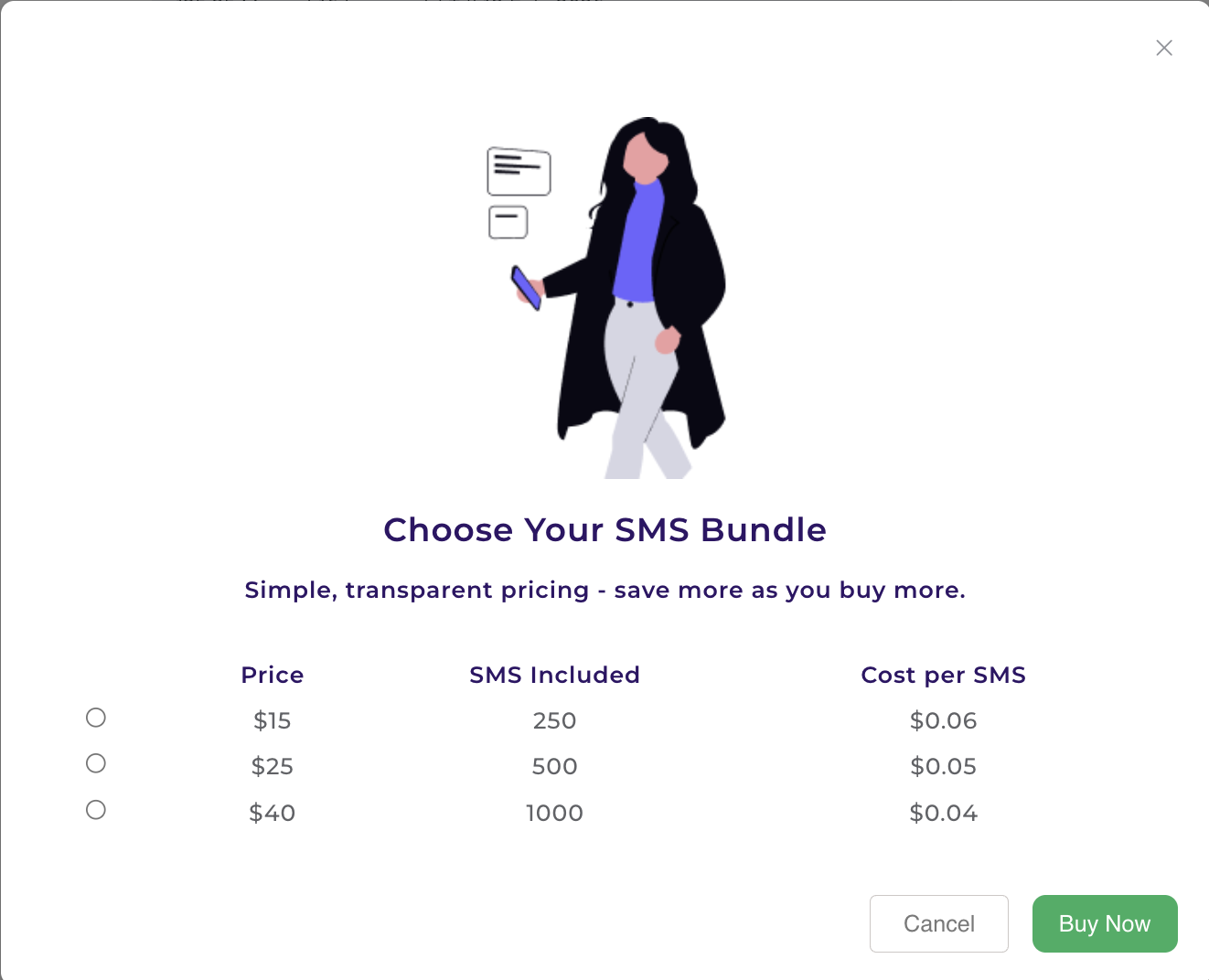
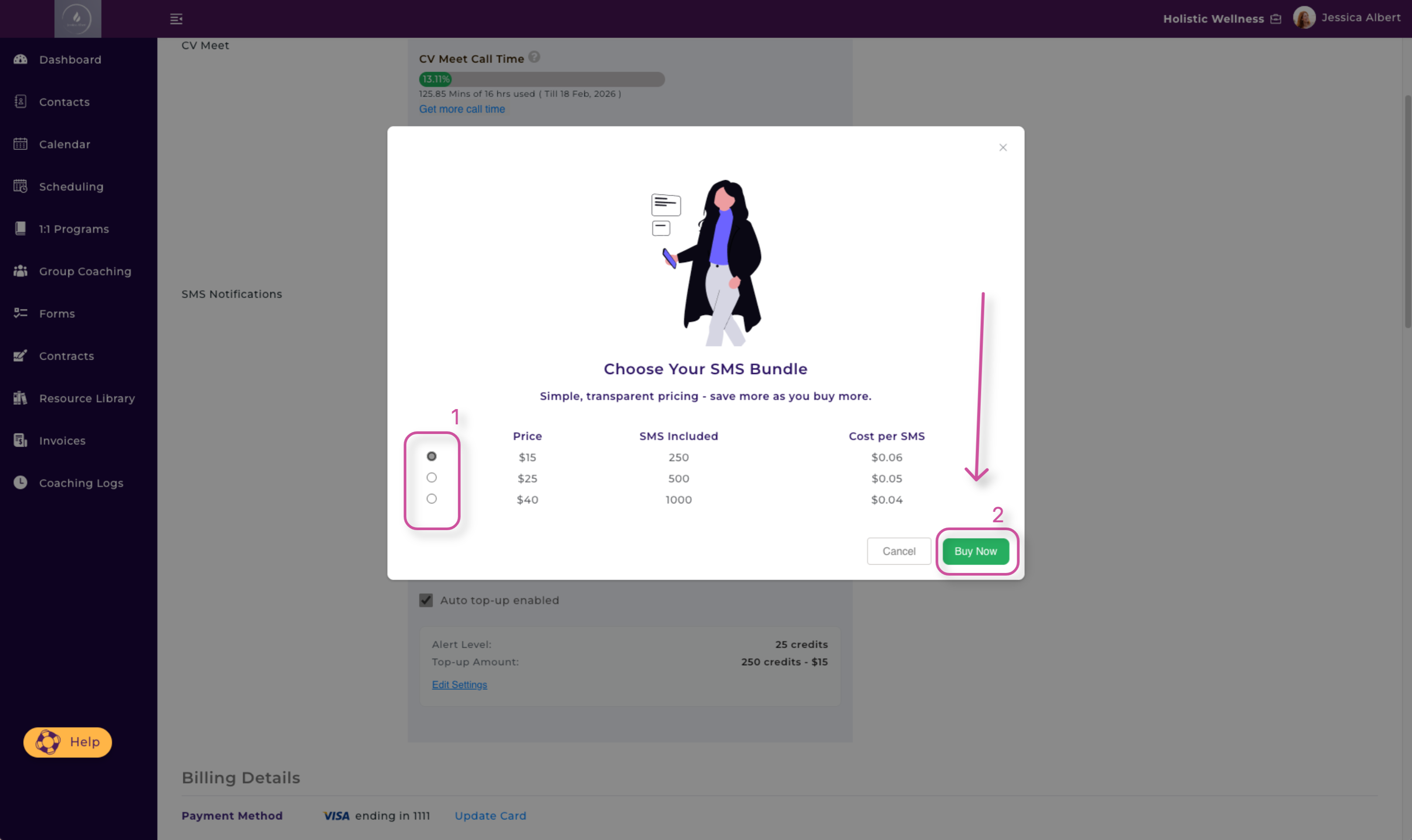
Choose Your SMS Bundle
Below is the pricing for purchasing additional SMS credits. The more you buy, the less the per unit cost of each SMS message, as shown below:
How to Purchase Additional SMS Credits
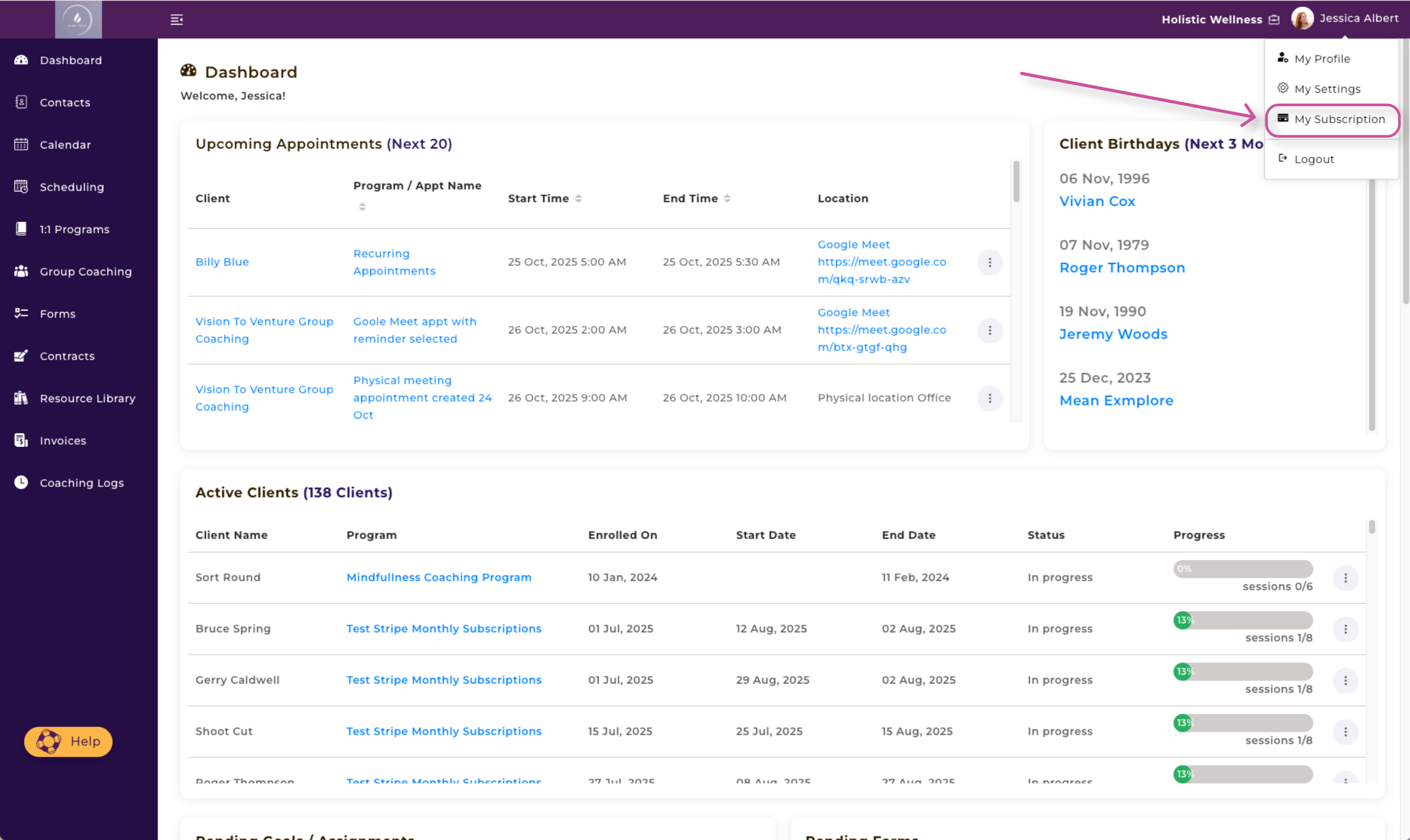
- Click your name in the top-right hand corner.
- Select My Subscription and scroll down.
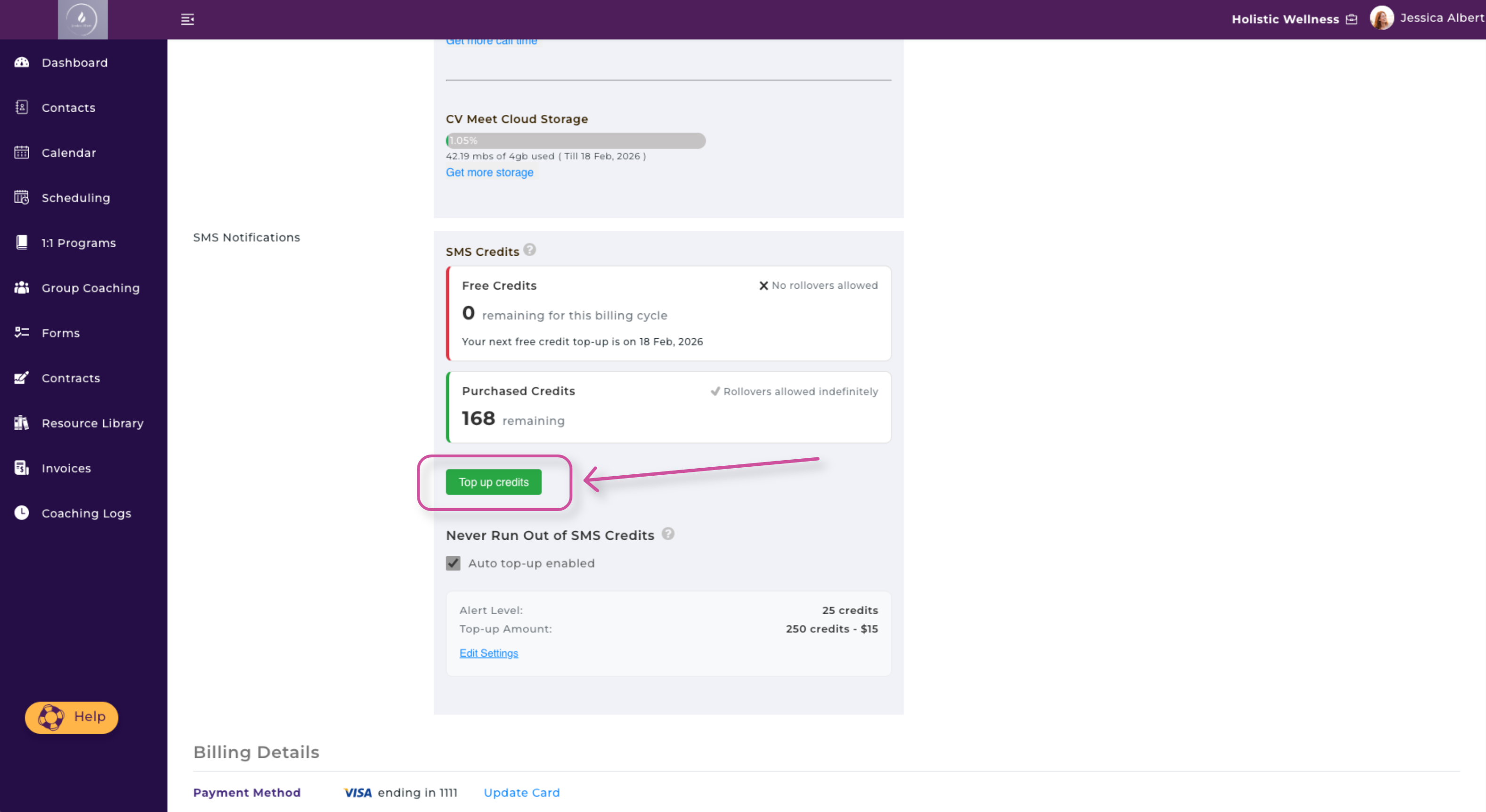
3. Click the green Top Up Credits button.
4. Select which SMS Bundle you would like by clicking on the corresponding circle. Then, press Buy Now.
5. Press Confirm to confirm your purchase.
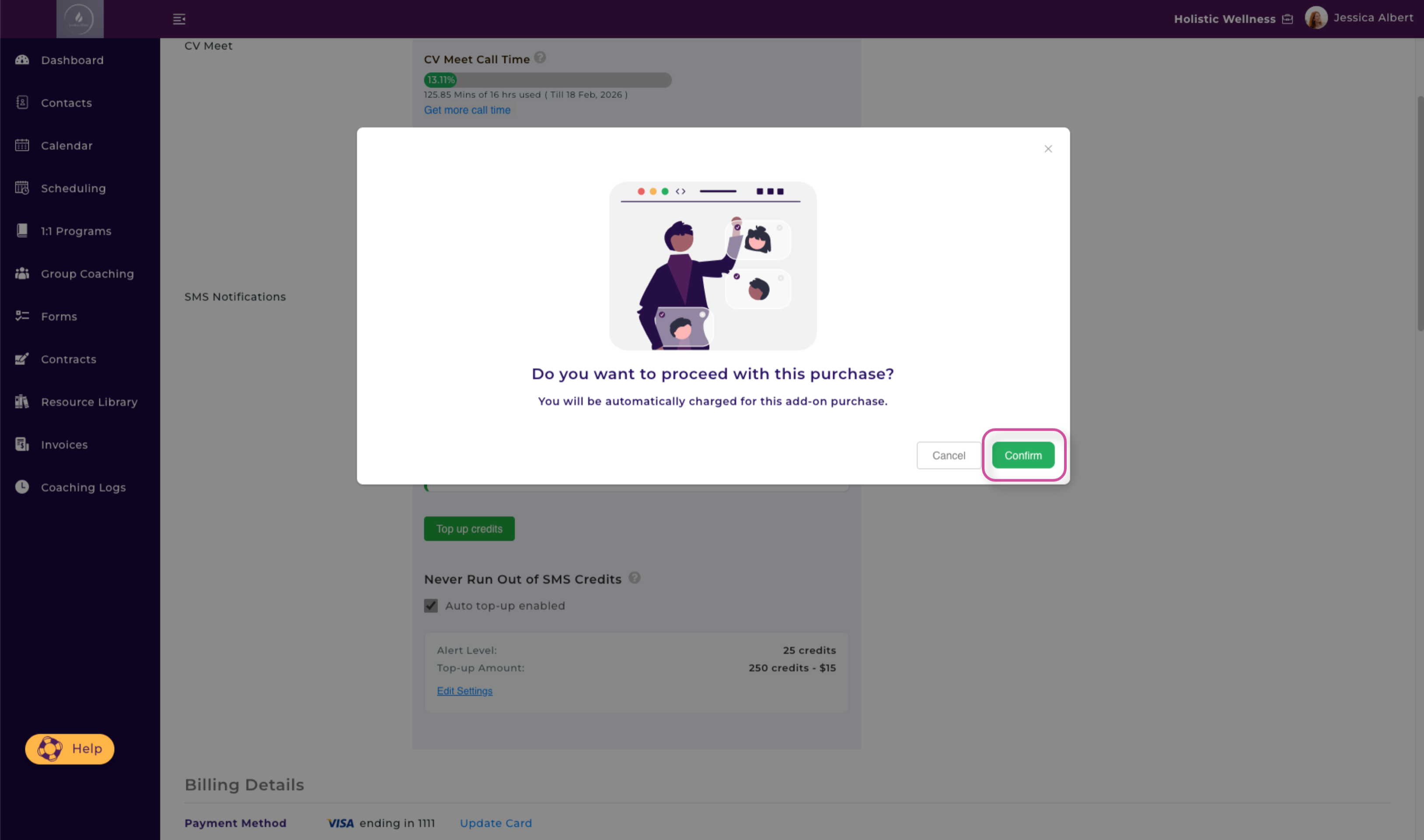
Success! Your SMS Bundle has been purchased. 🎉
Your card on file will be automatically charged for the purchase and you will receive an email notification to confirm the purchase.
How to Never Run Out of SMS Credits
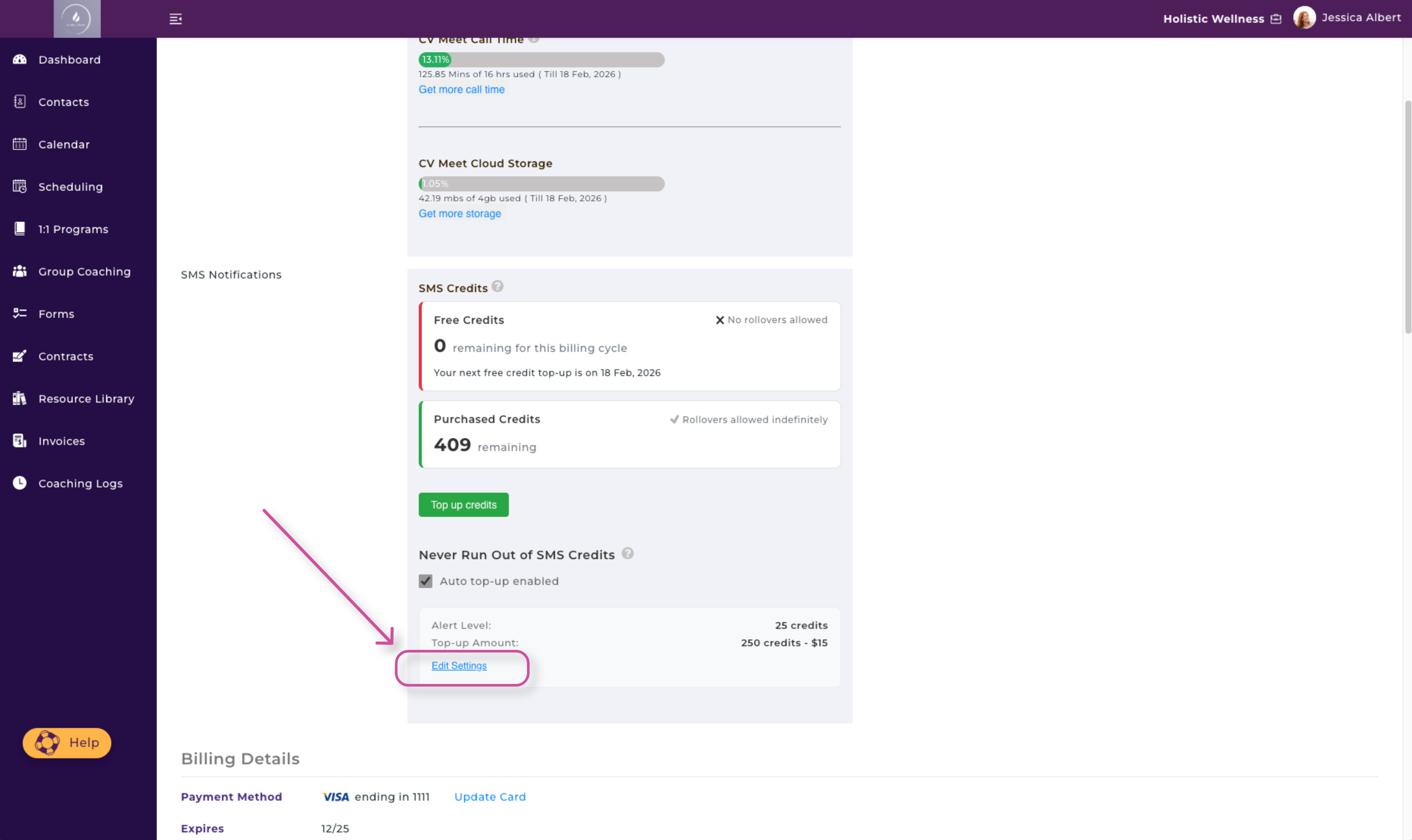
If you want to avoid running out of SMS Credits because you may have forgotten to purchase more you can configure your setting to never run out of SMS credits. In My Subscription, simply check the box that says Auto Top-Up Enabled.
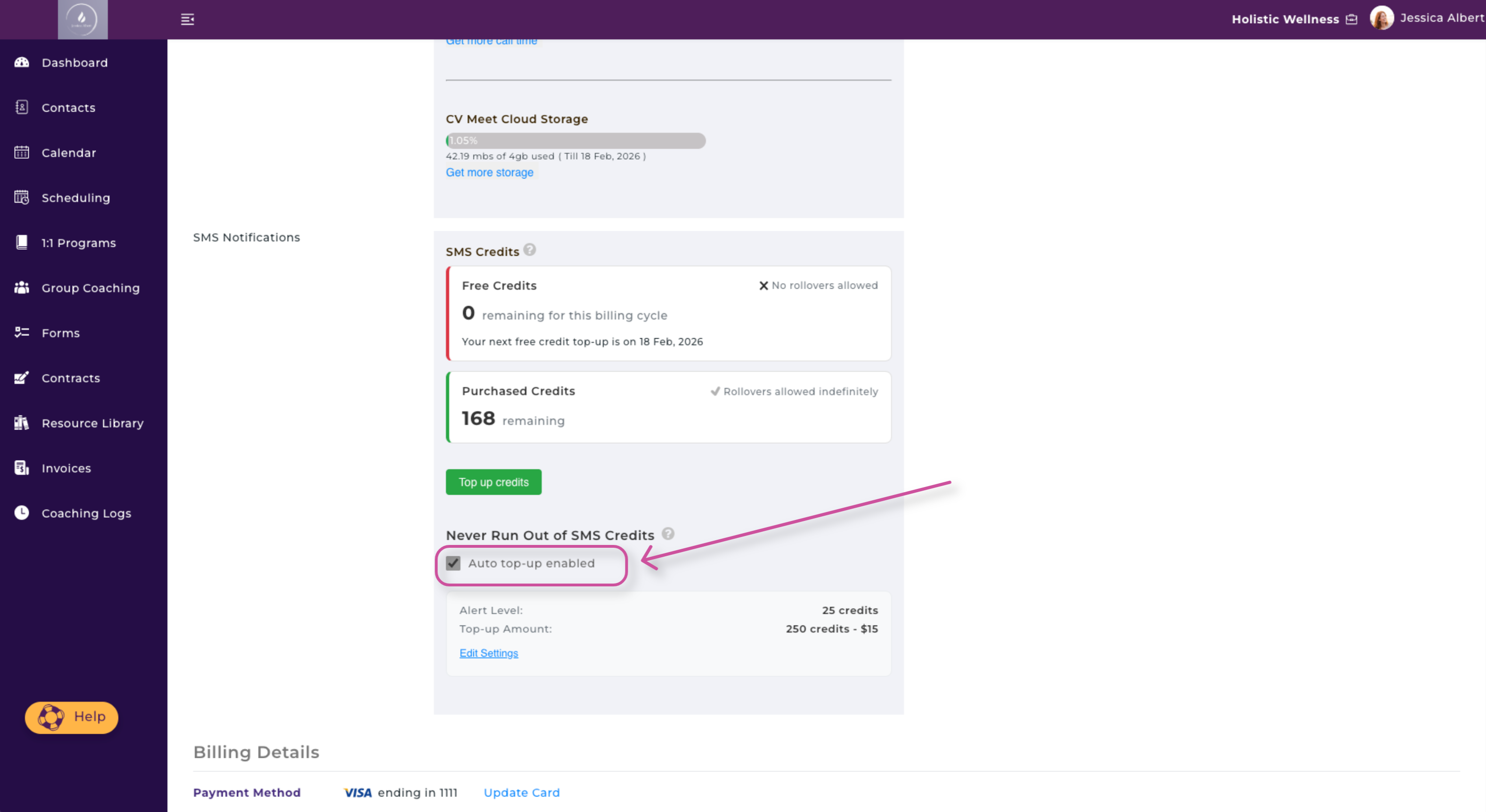
You will then be able to set the Alert Level and Top-Up Amount, as shown below:
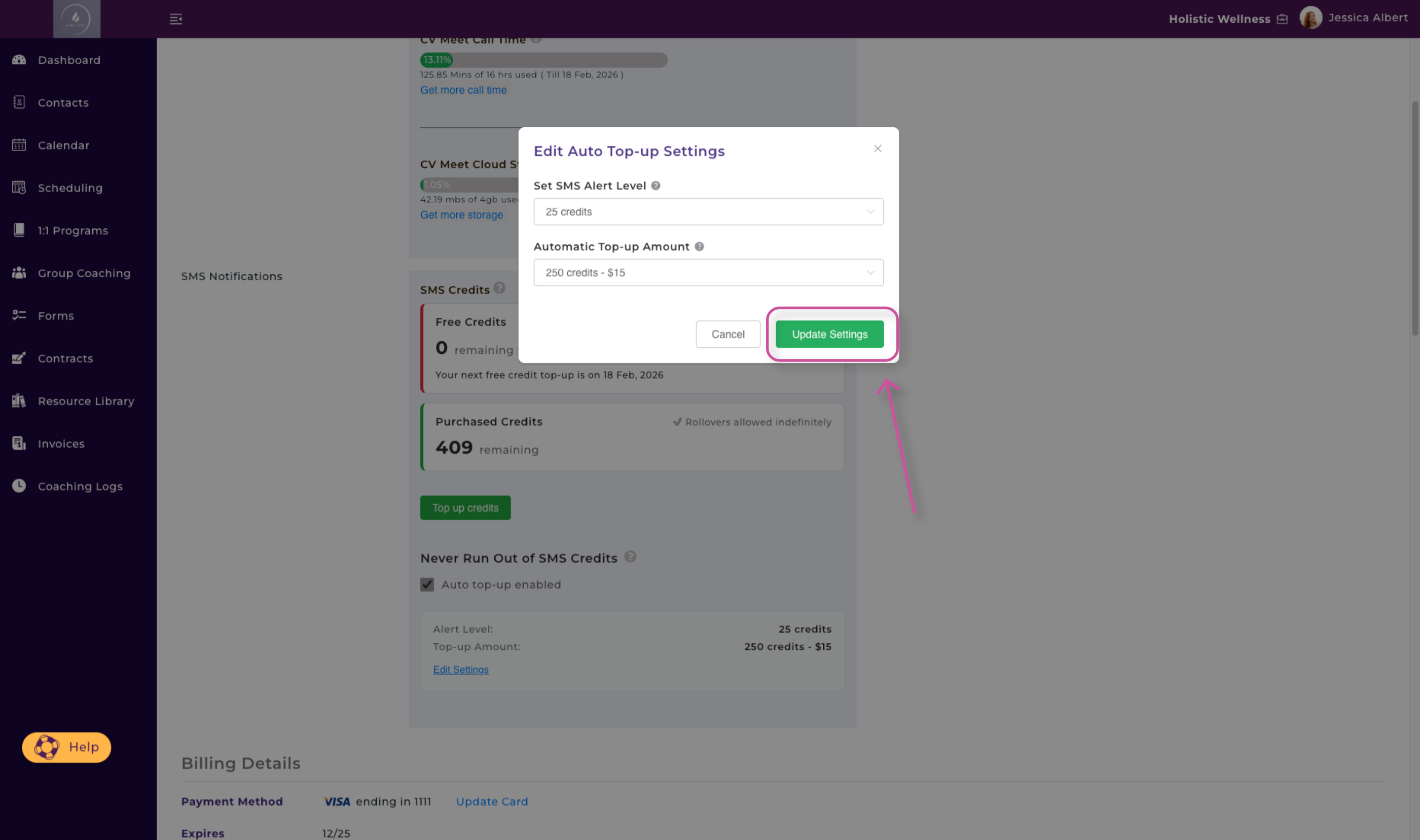
- Set SMS Alert Level
Once your credit balance hits the alert level set here, we’ll notify you and auto top-up will kick in - if you’ve enabled this. - Automatic Top-Up Amount
This is the number of SMS credits that will be automatically purchased when your SMS credit balance hits the alert level.
If you need to make any changes to your auto-top up, click on Edit Settings as shown below: