
How Client Contact Details Are Updated
Overview
To keep client information accurate and synchronized between your CoachVantage Coach account and the Client Portal, some client details become read-only once a client has an active client portal.
When Can I Edit a Client’s Details? 🖊️
Once a client has accepted their client portal invitation and created their Client Portal, the following fields can no longer be edited from your CoachVantage coach account:
- First name
- Last name
- Email address
- Time zone
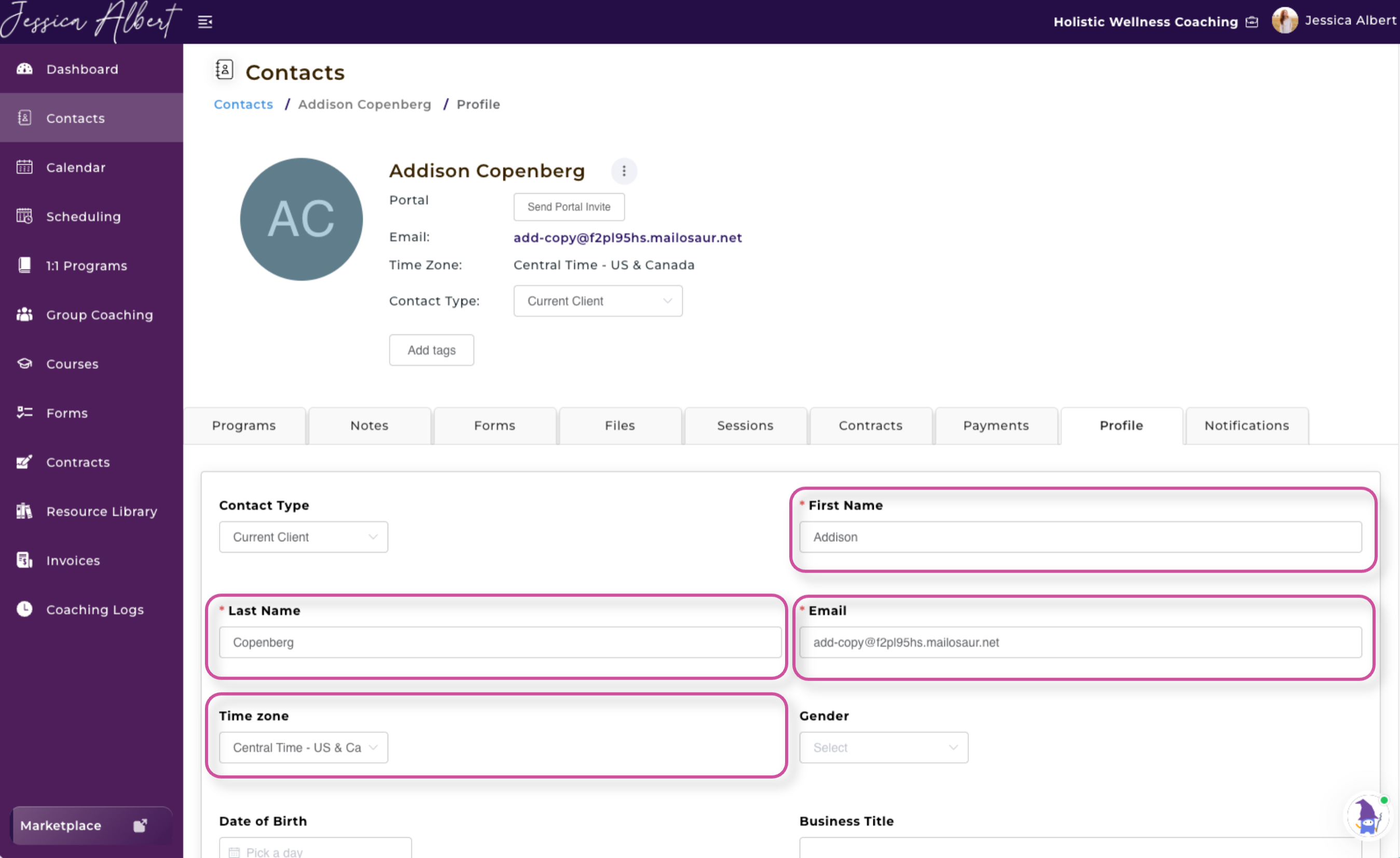
These fields will be greyed out in the Contact record in the Coach’s account:
Before A Client Accepts The Portal Invite
After a Client Accepts a Portal Invite
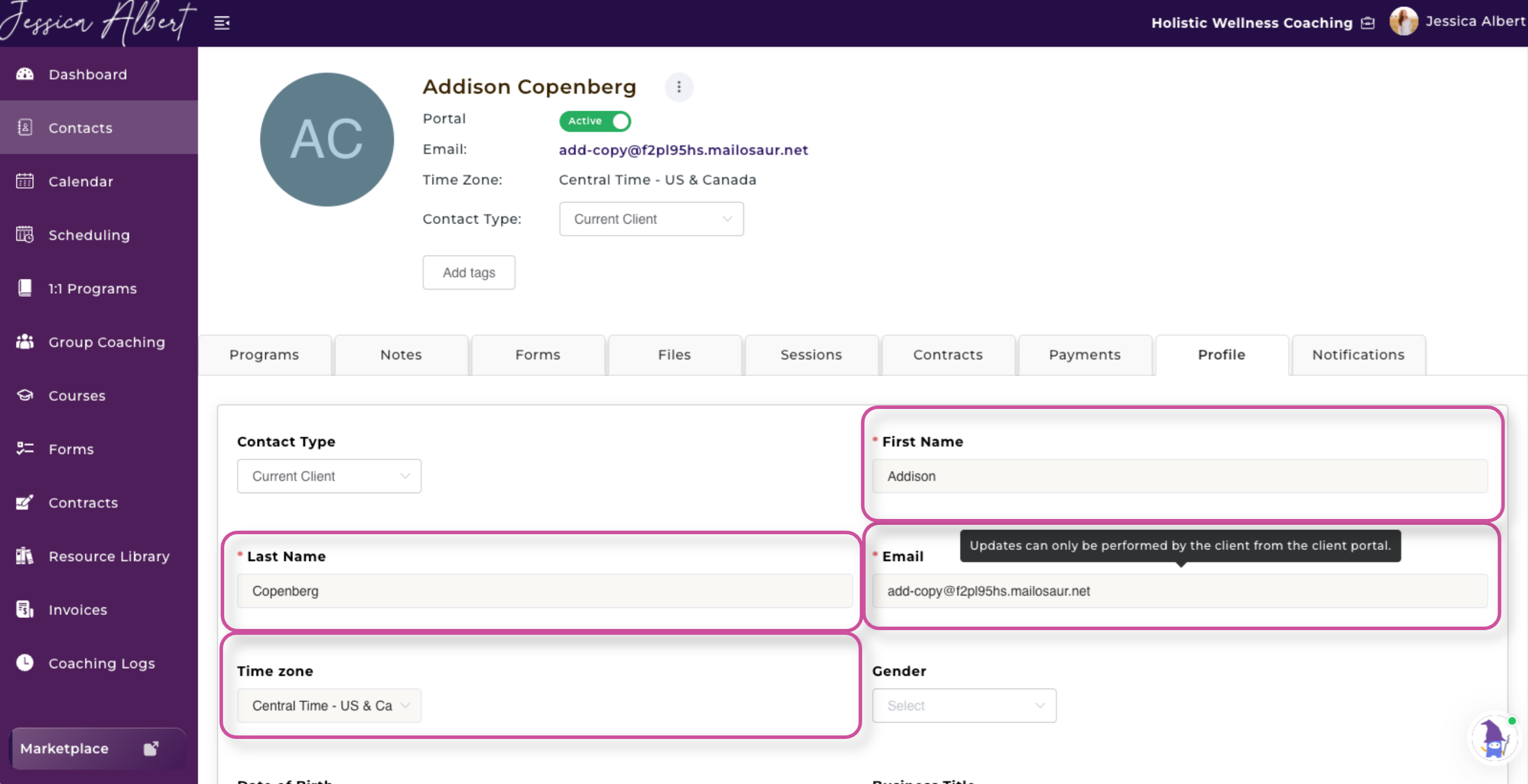
Only the client can update these details directly from the Client Portal. Any changes they make will be reflected in the Contact Record in your CoachVantage account, helping ensure that the information remains consistent across both the Coach’s account and in the Client Portal.
Other client details will continue to be editable from your coach account as usual.
Will I Get Notified When My Client Has Made Updates in the Client Portal? 🔔
Yes, you will receive an email notification to let you know that your client has made changes to any of those fields (i.e. First Name, Last Name, Email address, or Time zone) in the client portal.
What if My Client Has Not Yet Accepted the Client Portal Invitation? ✉️
If you have sent a client portal invitation but your client has not yet accepted it or created their Client Portal account, you can still edit the client’s details from your Coach account.
However, if you change the client’s email address after sending the invitation, the previously sent invitation will no longer be valid.
CoachVantage will prompt you to resend the client portal invitation to the updated email address. This ensures the invitation is sent to the correct email address and that the client can successfully create their Client Portal account.
Why are These Details Editable only by the Client?
These details are shared across both the Coach’s account and the Client Portal. Once a client has an active Client Portal, allowing both the Coach and Client to edit them independently could result in information becoming out of sync.
To keep client information accurate, consistent, and synchronized, only the Client can update their First Name, Last Name, Email, and Time Zone directly from their Client Portal.