SMS Logs and Transactions History
This article walks you through how to view SMS activity in CoachVantage, including client-specific message logs, your overall SMS Usage Log, and your SMS Transactions History.
Overview
This article explains how to view and manage your SMS activity in CoachVantage. You’ll learn how to check text messages sent to a specific client, as well as how to review your overall SMS Usage Log and Transactions History.
How to View Your SMS Logs for a Specific Client
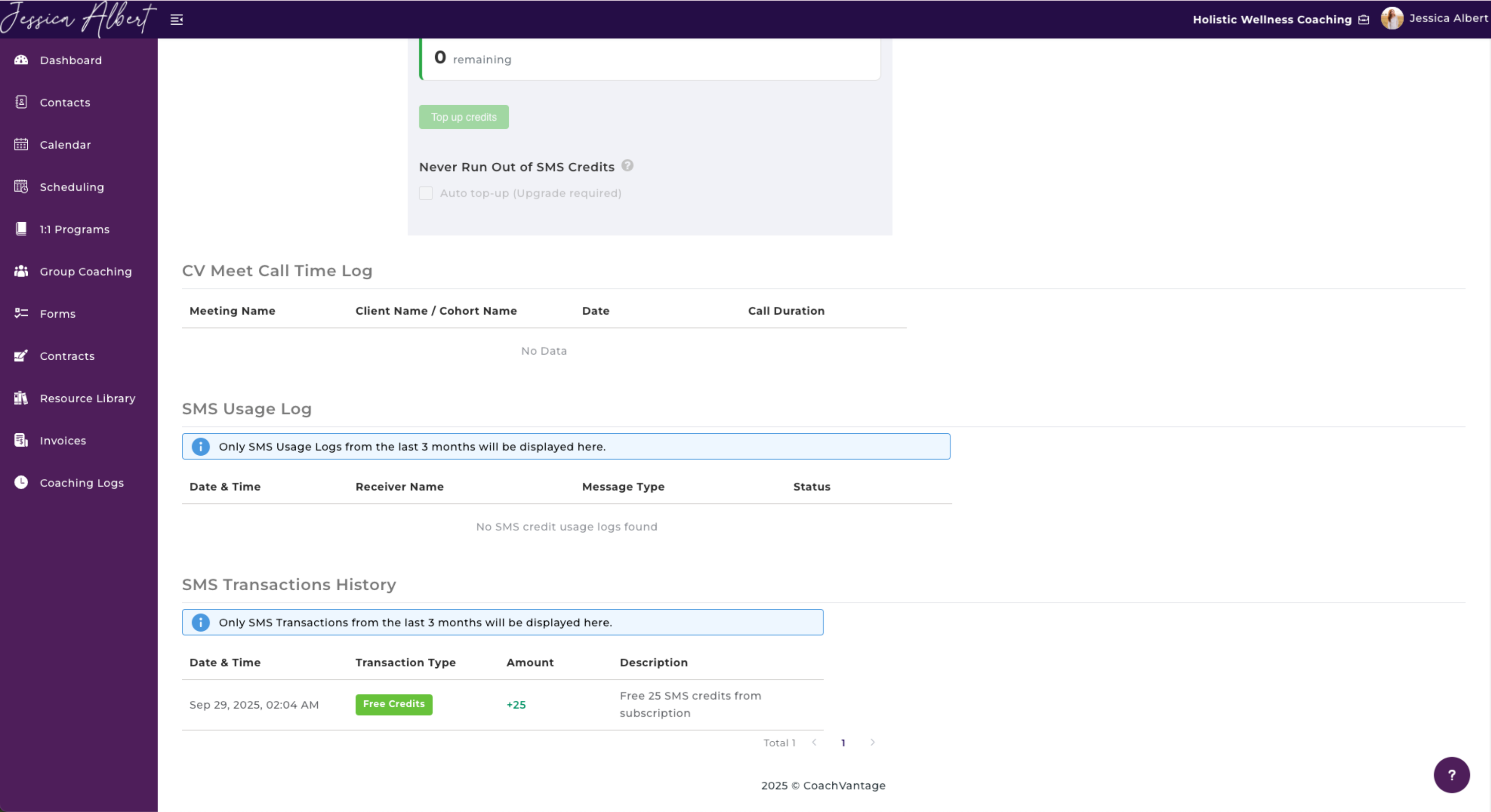
To view the text messages that a specific client has received, simply click on that contact and navigate to the Notifications tab.
Please note that only SMS Logs from the last 30 days will be displayed here.
SMS Usage Log and Transactions History
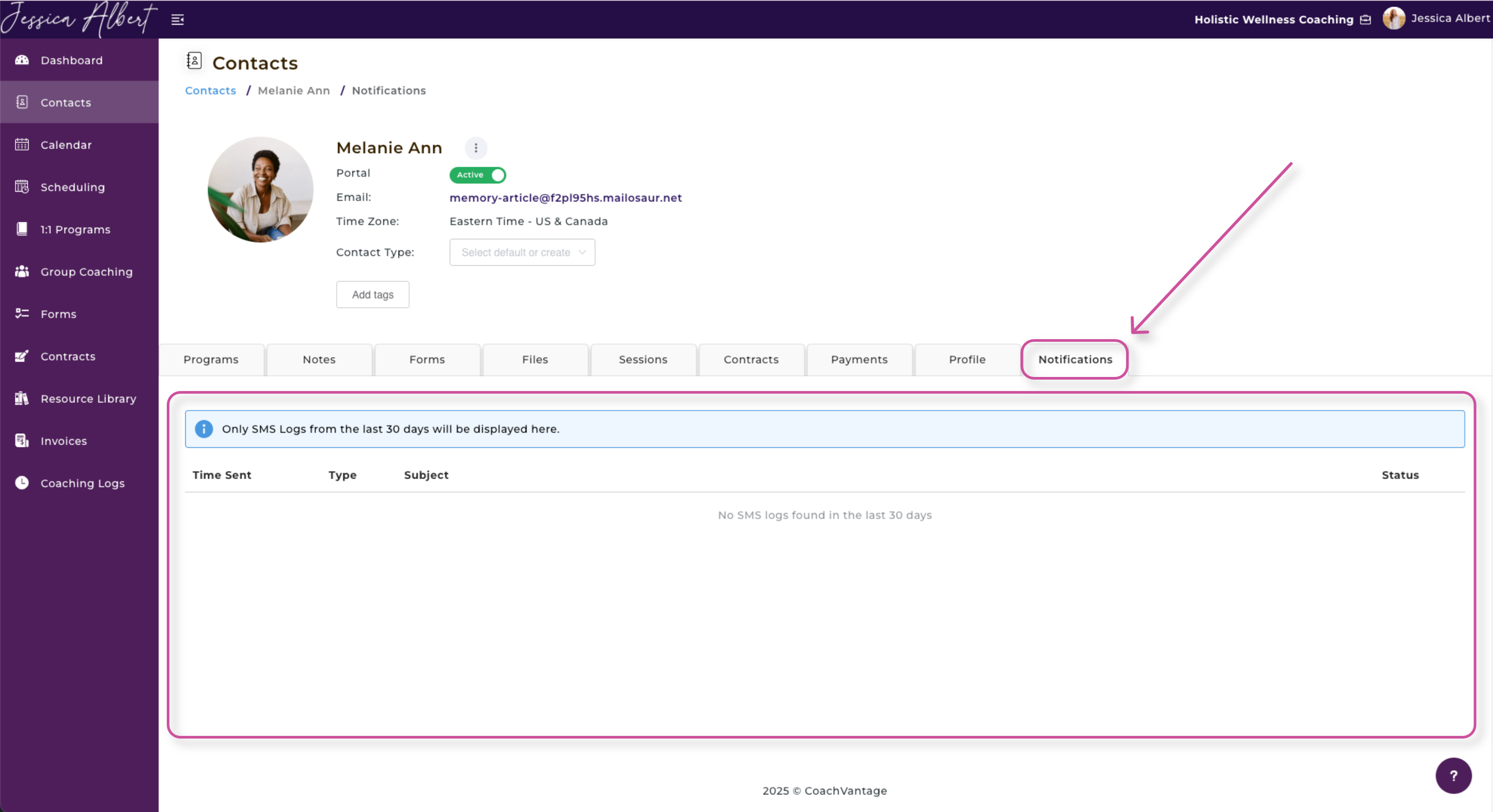
You can view your SMS Usage Log and SMS Transactions History from the My Subscription page.
SMS Usage Log
- Here is where you will see the messages' Date & Time, Receiver Name, Message Type, and Status.
- Only SMS Usage Logs from the last 3 months is displayed here.
SMS Transactions History
- Here is where you will see the Date & Time, Transaction Type, Amount, and Description of your SMS credits (both free and purchased).
- Only SMS Transactions from the last 3 months is displayed here.