
How to Sign Up to Meet with Your Coach via the Client Portal
Overview 📅
The Client Portal in CoachVantage is your one-stop hub to book appointments with your coach, review forms, view assignments, and more.
Follow the steps below to schedule a session with your coach.
Steps to Book an Appointment
- Sign in to your Client Portal.
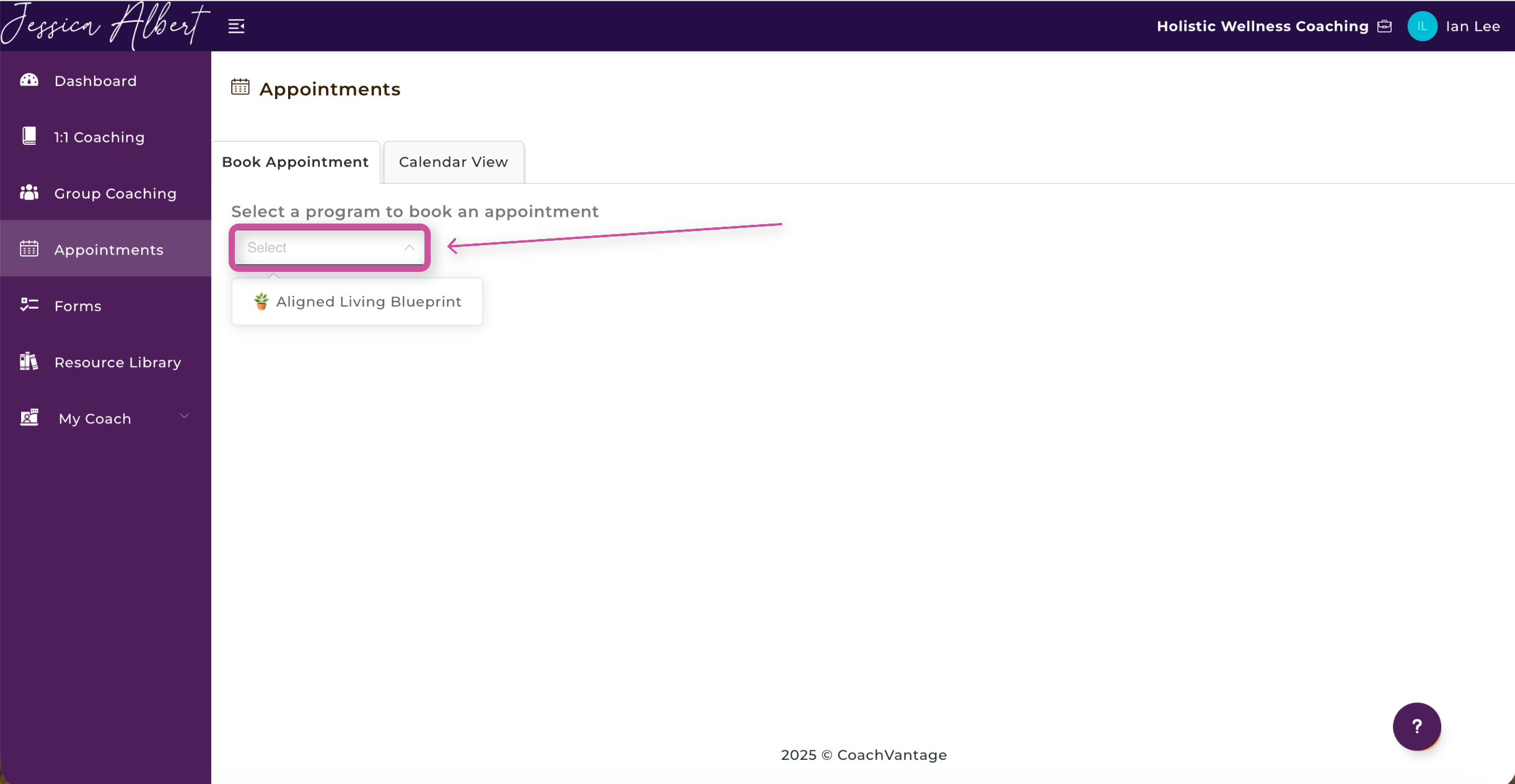
- Click Appointments in the left-hand menu.

3. Click on the dropdown menu to select the program you’re enrolled in.
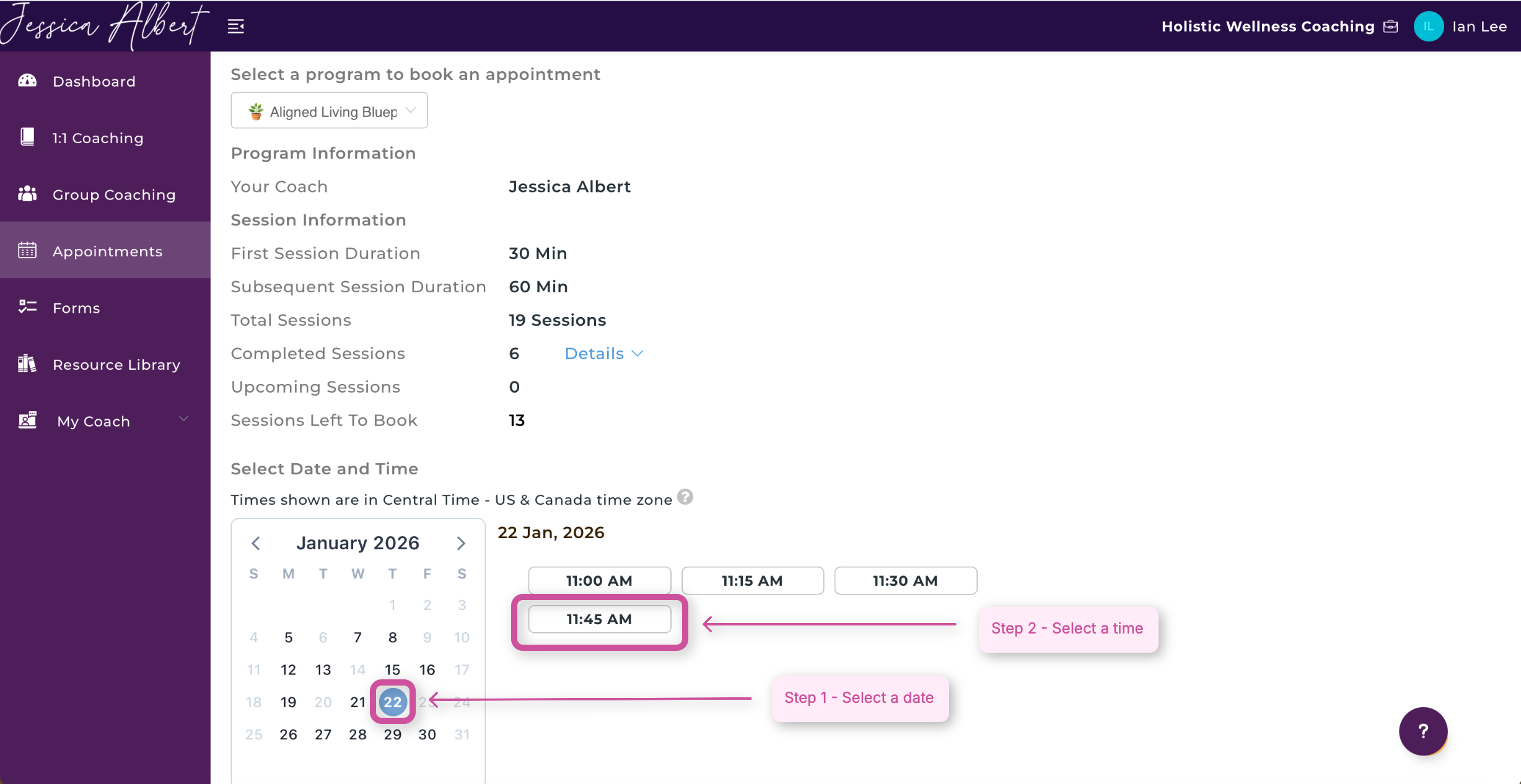
4. Scroll down and choose your preferred date and time.
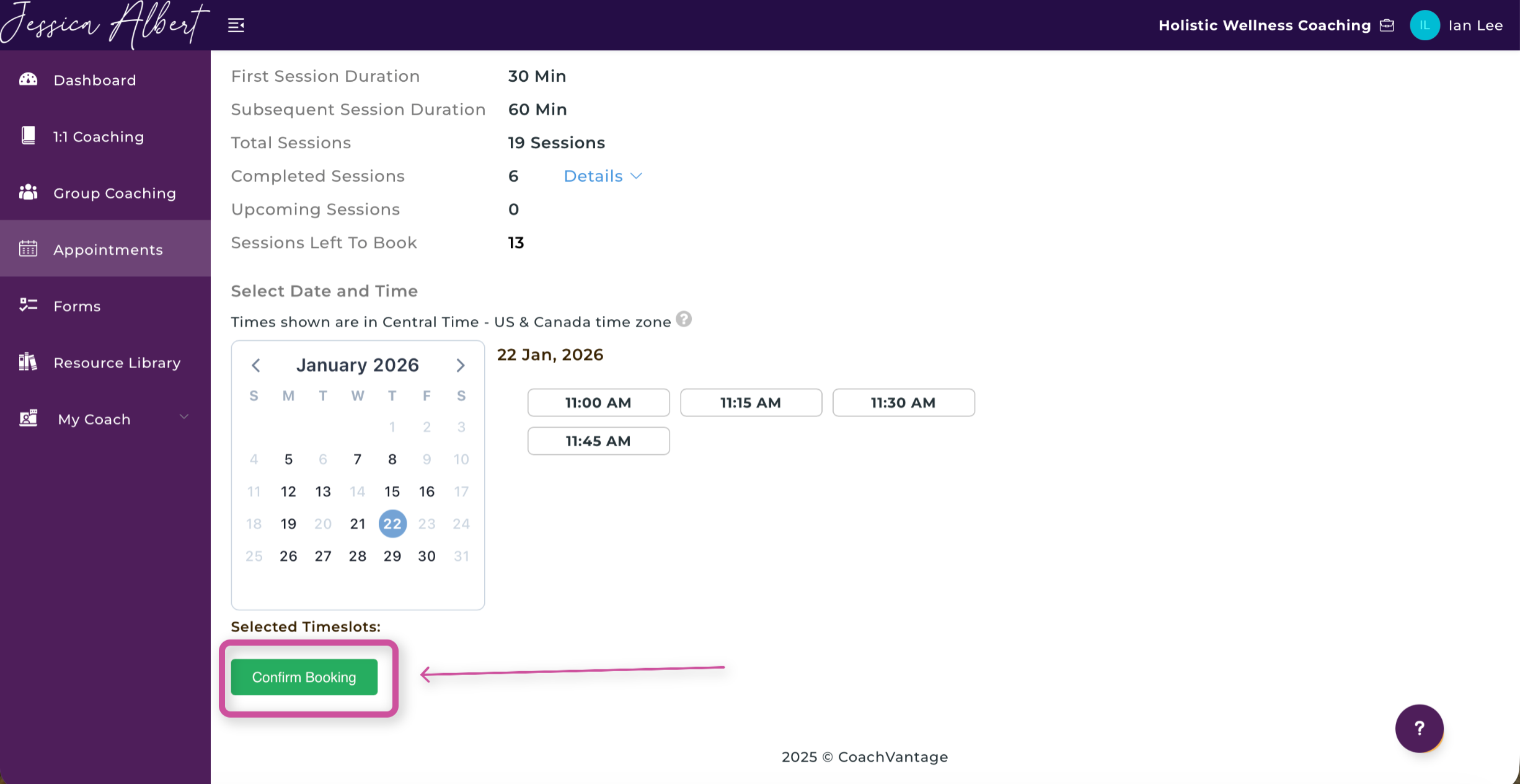
5. Click the green Confirm Booking button at the bottom of the screen.
Note: If your Client Portal has not been created yet, follow this guide.
Note: If you are unable to complete these steps, your Coach may have not given you permission to schedule an appointment with them. To change this, your Coach would have to go into the 1:1 Program settings and could follow these instructions in the Scheduling section of this article,"How to Create a 1:1 Coaching Program (Standard Program)."
💡 Quick Tip:
Under Sessions Left to Book, you can see how many sessions you still have available in your program.
🎉 Success!
Your appointment has been successfully booked with your coach.